How to Appear in Microsoft Copilot in 2026?
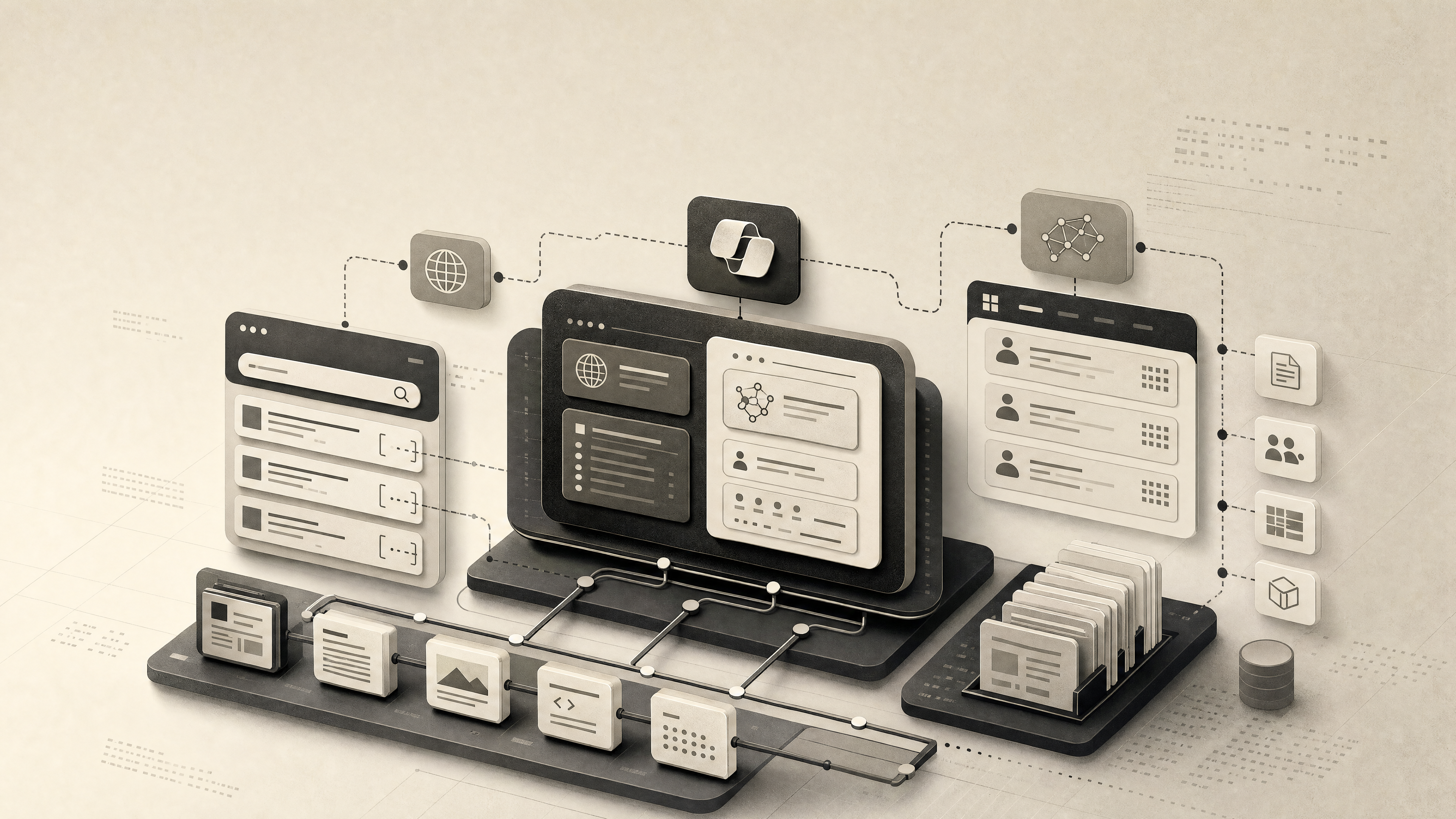
Showing up in Microsoft Copilot means becoming a retrievable, citable source for a specific Copilot surface — not publishing more generic SEO content. Copilot is a family of products, and each one retrieves from different places: Bing Copilot pulls from Bing's web index, while Microsoft 365 Copilot can also retrieve from a tenant's SharePoint, OneDrive, Teams, and Outlook via Microsoft Graph (Source: Solumize). Your public marketing site can only influence the web-grounded surfaces.
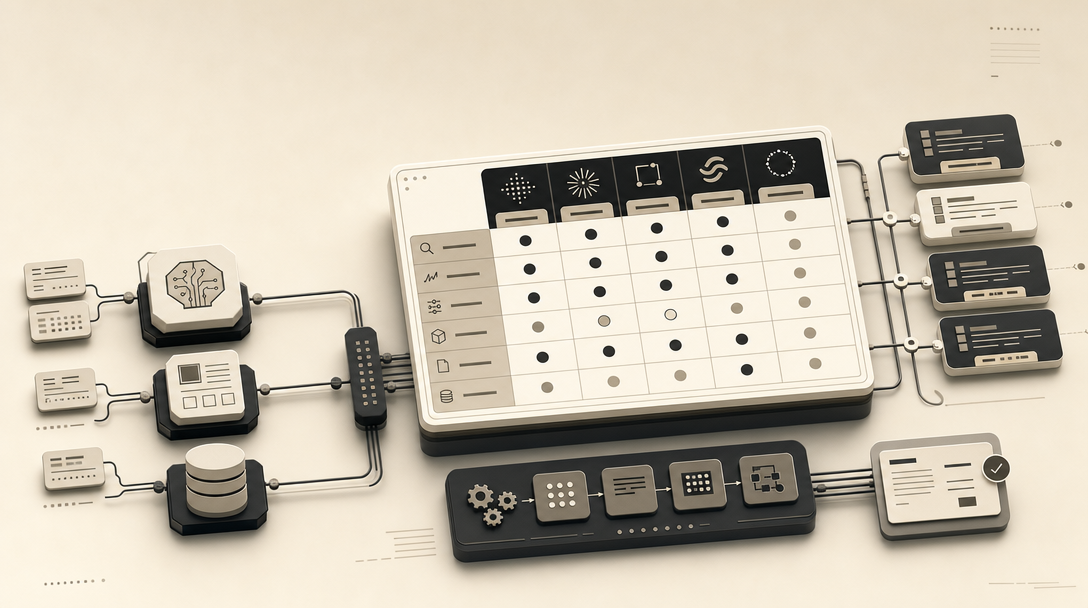
To appear in Microsoft Copilot in 2026, a public B2B site needs five things working together: indexation and coverage in Bing, a consistent entity across LinkedIn and schema, answer-ready page structure, ecosystem corroboration through Microsoft AppSource or Microsoft Partner Network where applicable, and a repeatable prompt-based citation test.
The operating model splits cleanly into two tracks:
- Public web track (Bing Copilot, Copilot Chat Web). Optimize for Bing indexation, entity clarity, and citable page structure. This is where marketing teams can actually move the needle.
- Work track (Microsoft 365 Copilot, Copilot Business Chat). Answers draw on the user's own Microsoft 365 Graph data — your SharePoint sites, emails, Teams messages, and internal documents. You can't optimize your way into another company's Graph; you can only make sure your public content is retrievable when a Work prompt also pulls from the web.
For marketers, the job is 90% about the public track. That means treating Copilot visibility as an editorial pipeline: build indexable pages, tighten the entity graph (LinkedIn, Organization schema, sameAs links), write direct-answer passages Copilot can quote, and run a citation QA loop across prompt variants on a refresh cadence. The rest of this guide lays that out step by step and separates what Microsoft documents from what is still plausible-but-unproven GEO hypothesis.
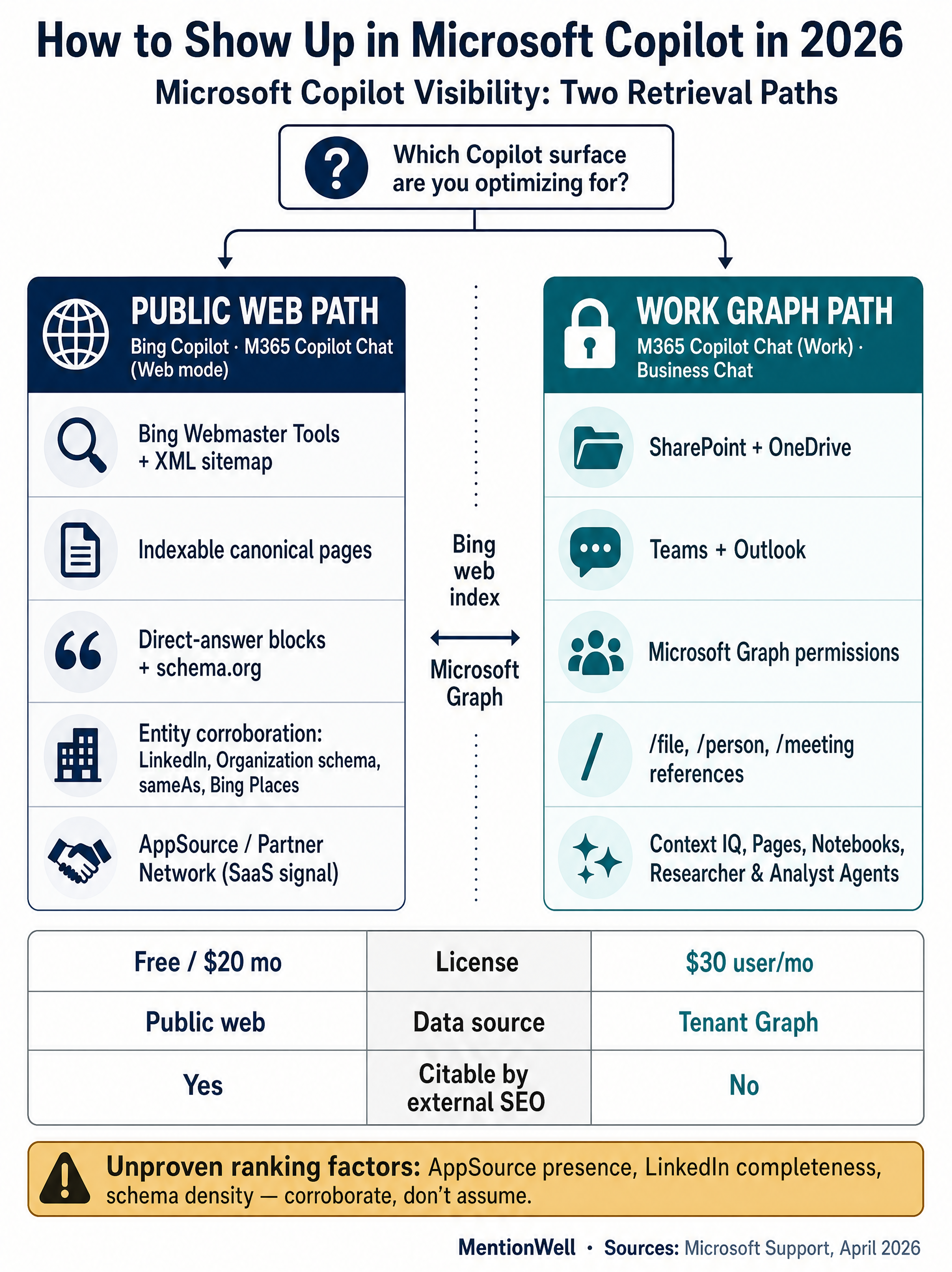
Which Microsoft Copilot Surface Are You Trying to Show Up In?
The word "Copilot" covers at least four distinct products, and the right optimization path depends entirely on which one you're targeting. Each has a different retrieval model and different levers for external visibility.
- Bing Copilot (the public chat at copilot.microsoft.com) retrieves from Bing's web index in real time (Source: Solumize). This is the surface most accessible to marketing teams.
- Microsoft 365 Copilot Chat — Web mode. Microsoft Support says that without a Microsoft 365 Copilot license, Copilot Chat responses are limited to a Copilot web search. This effectively behaves like Bing Copilot for unlicensed users.
- Microsoft 365 Copilot Chat — Work mode. Microsoft Support describes a Work/Web toggle at the top of Copilot Chat that appears only when a user has a Copilot license; Work mode grounds answers in the user's own Microsoft Graph data (SharePoint, OneDrive, Teams, Outlook) plus optional web.
- Copilot Business Chat. Solumize describes this as sitting on top of Microsoft 365 Copilot, surfacing answers across web and enterprise data simultaneously.
| Surface | Retrieves from | Who sees it | What external teams can influence |
|---|---|---|---|
| Bing Copilot (public) | Bing web index | Anyone on copilot.microsoft.com | Bing indexation, entity signals, page structure |
| M365 Copilot Chat — Web | Bing web index | Any signed-in Microsoft 365 user | Same as Bing Copilot |
| M365 Copilot Chat — Work | Microsoft Graph + optional web | Users with Microsoft 365 Copilot license | Tenant content only; external web via the same levers as Bing |
| Copilot Business Chat | Web + enterprise data | Licensed enterprise users | Public web levers + AppSource/Partner presence |
The only Copilot surfaces external marketing can meaningfully influence are the web-grounded ones — and all of them ultimately depend on Bing. If your pages aren't in Bing's index, you don't exist to any Copilot variant's web retrieval. For Work mode answers inside a target customer's tenant, the lever is different: get your content into their SharePoint, documentation hubs, or email threads through normal sales and enablement, because Microsoft Graph retrieval is scoped to the tenant, not the open web.
Teams juggling multiple engines at once — ChatGPT, Gemini, Claude, Perplexity, Copilot — should treat each surface as its own pipeline rather than one generic "AI SEO" workflow. See our companion piece on [AEO vs GEO vs LLMO workflows](/aeo-vs-geo-vs-llmo-which-workflow-fits-your-team) for how to structure that.
How Does Microsoft Copilot Select What to Cite?
Microsoft has documented the plumbing but not the ranking signals. What we know with confidence: Bing Copilot retrieves from Bing's web index in real time, and Microsoft 365 Copilot retrieves from Bing plus company content in SharePoint, OneDrive, Teams, and Outlook (Source: Solumize). Microsoft Support also confirms that Copilot Chat without a license defaults to web search only, and that the Work/Web toggle appears for licensed users.
Beyond that, selection signals are mostly inferred. Solumize names five factors it believes drive Copilot citation for B2B queries: Bing indexation plus Bing Webmaster Tools configuration, a complete and active LinkedIn company page, Organization and LocalBusiness schema, direct-answer content structure, and Microsoft AppSource or Microsoft Partner Network presence where applicable. These are reasonable — LinkedIn is owned by Microsoft, schema is a general retrieval aid, AppSource is an authoritative Microsoft-owned directory — but none are confirmed ranking factors in Microsoft documentation.
What this means operationally:
- Documented and required: Bing indexation for any web-grounded Copilot surface.
- Documented and affects output: Prompt content, Work/Web mode, and named source references (slash-mentions, attached files) change which sources Copilot uses (Source: Microsoft Support).
- Plausible, widely recommended, unproven: LinkedIn completeness, Organization/LocalBusiness schema, sameAs links to Crunchbase and Clutch, AppSource listings.
- Unknown: Exact weighting between fresh Bing results, entity authority, and named-source fidelity within a single response.
Build for the documented signals first, then layer the plausible ones — they're cheap, they help other engines too, and they don't hurt.
How Do You Make Bing Able to Find and Cite Your Public Pages?
Bing readiness is the floor. If Bing can't find, crawl, and index the page, no Copilot surface will quote it. Most teams have spent a decade optimizing for Google and have never verified that Bing actually indexes their buyer-intent pages — that alone is often the biggest gap.
Run this sequence in order:
- Set up Bing Webmaster Tools for the domain. Verify ownership via DNS, meta tag, or XML file.
- Submit your XML sitemap and confirm Bing accepts it. If you already submit to Google Search Console, mirror the same sitemap.
- Confirm indexation for your core buyer-intent pages — pricing, comparison pages, category definitions, case studies, product overviews. Use Bing's URL Inspection equivalent; do not assume coverage because Google indexes the page.
- Fix crawl blockers. Check robots.txt for disallows that apply to Bingbot specifically. Verify no meta robots `noindex` on pages you want cited. Make sure canonicals resolve to accessible URLs.
- Monitor Bing impressions and clicks separately from Google (Source: Solumize). Bing coverage trends often lag or diverge from Google; treat them as independent channels.
- Refresh pages that should answer Copilot-shaped prompts. If a page was written for Google featured snippets in 2021, rewrite the opening to answer the specific buyer question directly in the first two sentences.
- Resubmit changed URLs to Bing Webmaster Tools after major rewrites rather than waiting for natural recrawl.
| Check | Tool | What "good" looks like |
|---|---|---|
| Domain verified in Bing | Bing Webmaster Tools | Green verified status |
| Sitemap submitted | Bing Webmaster Tools | 0 errors, coverage matches Google |
| Core pages indexed | URL inspection | Indexed status on pricing, category, comparison pages |
| Crawl errors | Bing WMT reports | Zero unresolved server errors on priority URLs |
| Bing impressions trending | Search Performance | Non-zero and stable for brand + category queries |
Running this as a one-time project is wasted effort. Put it on a quarterly refresh cadence.
How Should LinkedIn, Schema, and Microsoft Ecosystem Profiles Clarify Your Entity?
Make your company a single, unambiguous entity across every Microsoft-adjacent system Copilot might cross-reference. The goal is entity consolidation: one legal name, one canonical description, one set of sameAs links, consistent industry and location data.
Solumize recommends a complete LinkedIn company page with description matching the entity definition, industry, company size, specific city and country, founding year, website, and regular posts from the company and founders. LinkedIn matters here for a specific structural reason — Microsoft owns LinkedIn — though the direct citation effect is inferred, not Microsoft-confirmed.
On the website itself, layer these:
- Organization schema on the homepage, including `name`, `url`, `logo`, `description`, and `sameAs` pointing to LinkedIn, Crunchbase, and Clutch (Source: Solumize).
- LocalBusiness schema for each physical office, with address, coordinates, and hours.
- Bing Places listings where you have physical locations — the Bing equivalent of Google Business Profile.
- Consistent founder and exec bios across the site, LinkedIn, and any speaker/press pages. Copilot's entity resolution benefits from the same name appearing with the same role across multiple Microsoft-visible sources.
For Microsoft-ecosystem specific corroboration:
- Microsoft AppSource listing for SaaS products. If you integrate with Microsoft 365, Teams, or Power Platform and aren't listed, you're invisible in a directory buyers and Copilot can both surface (Source: Solumize).
- Microsoft Partner Network / Microsoft Partner Center for services firms and consultancies working on Microsoft stacks.
- GitHub presence if you ship developer tooling — GitHub is Microsoft-owned and well-represented in Bing's index.
Get your site ready to be cited by Copilot, ChatGPT, and Gemini with research-grounded AEO, GEO, LLMO, and SEO content in every draft — Get My Site GEO Optimized.
| Entity asset | Priority | Effort | Copilot relevance |
|---|---|---|---|
| Bing indexation | Required | Low | Direct — retrieval floor |
| LinkedIn company page completeness | High | Low | Plausible — Microsoft-owned source |
| Organization schema + sameAs | High | Low | General retrieval aid |
| LocalBusiness schema | Medium (if multi-office) | Low | Local query corroboration |
| Microsoft AppSource listing | High for Microsoft-adjacent SaaS | Medium | Ecosystem trust signal |
| Microsoft Partner Network | High for services on Microsoft stack | Medium | Ecosystem trust signal |
| Bing Places | Medium (local B2B) | Low | Local pack retrieval |
The payoff is cumulative: any single signal is weak, but an entity that resolves consistently across five or six Microsoft-visible surfaces is much easier for Copilot to identify and quote with confidence.
How Should a Page Be Structured So Copilot Can Cite It Cleanly?
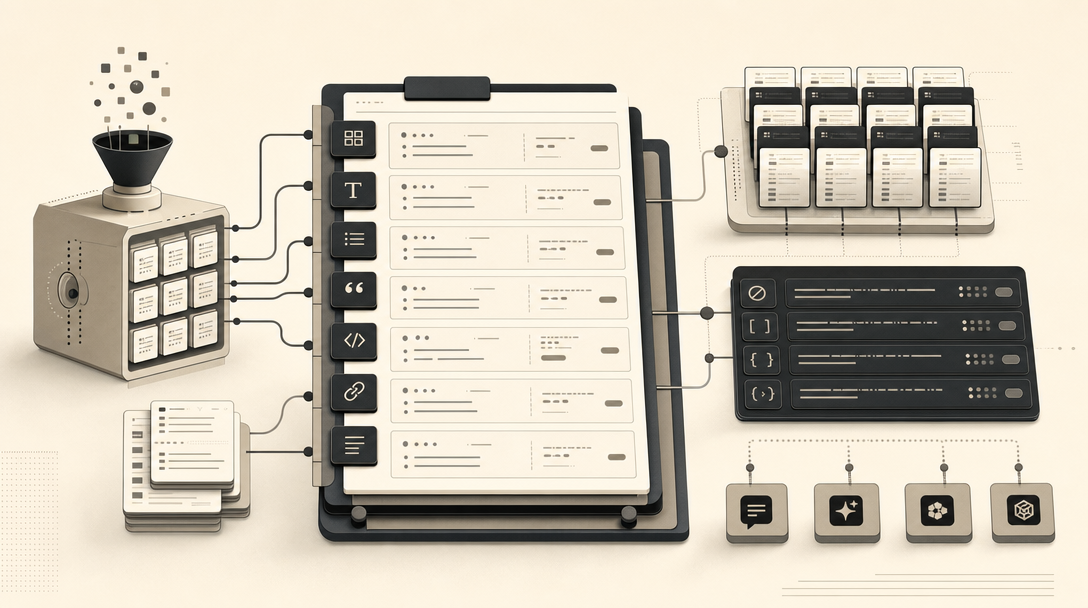
Copilot cites passages, not pages. Structure each page so a retrieval system can lift a clean, self-contained answer without context-hunting across scrolls of prose. This is where AEO, GEO, LLMO, and SEO converge into page-level decisions.
A page earns Copilot citations by opening with a direct, attributed answer to the exact question the URL targets, supporting it with a concise definition, a comparison or decision table, and source-backed claims using schema markup.
The core pattern, applied to any buyer-intent page:
- H1 matches the user's actual question. Not a keyword phrase — the sentence a buyer would type or say to Copilot.
- Opening answer block. First 40–80 words answer the question in complete sentences. No "in this article we'll cover." Copilot can quote this directly.
- Concise definition. One or two sentences defining the core term or category. Wrap it in `<dfn>` or a clearly bounded paragraph.
- Comparison or decision table. Vendors, options, prices, fit criteria — anything that gives Copilot a structured chunk to cite when the user asks "what's the difference between X and Y."
- Source-backed claims. Every statistic, price, or capability claim carries an inline attribution: "According to Microsoft Support, …" — vague phrases like "studies show" are useless to retrieval.
- Buyer-question H2s. Sections named as full questions (the ones buyers and Copilot actually use) let retrieval systems align answers to prompts.
- Schema.org markup. Article, Product, FAQPage, or HowTo where appropriate, plus Organization on the template.
- Vendor-fit language near the top. "[Product] is for [audience] who need [outcome]; it's not a fit for [case]." Copilot surfaces this verbatim when users ask recommendation questions.
Solumize emphasizes that content for Copilot visibility should anticipate long, specific enterprise B2B questions and answer them directly — not stuff generic category keywords. A page titled "Best vendor management software" is a 2018 artifact; "How does [Category] software handle SOC 2 evidence collection for a 200-person company?" is a 2026 Copilot prompt.
For templates and refreshes at scale, Mentionwell ships this structure into every draft by default — direct-answer openings, comparison tables, attributed stats, schema — across one site or hundreds, so the publishing engine stays consistent without hand-editing every page.
How Do I Get Better Results With Copilot Prompting?
Your testing is only as good as your prompts, and Copilot's output changes meaningfully with prompt quality, order, and mode. Before you judge whether a page gets cited, confirm your prompt actually activates the right retrieval path.
Microsoft Support identifies four prompt ingredients for Microsoft 365 Copilot: Goal, Context, Source, and Expectations (Source: Microsoft Support). Lisa Crosbie's tutorial walks through the same pattern under the name GCSE framework. Microsoft WorkLab quotes Tara Roth saying that with Copilot, being more descriptive gets better responses than using the concise keyword style people use with traditional search.
Practical rules from Microsoft's own documentation:
- Use plain but specific language. Microsoft Support defines prompts as how you ask Copilot to create, summarize, edit, or transform, and recommends plain but clear language with context — treat it like briefing an assistant, not entering a search query.
- Prompt order matters. Later parts of a prompt tend to be emphasized more than earlier parts (Source: Microsoft Support).
- Put specific files or sources last when you want Copilot to actually use them (Source: Microsoft Support).
- Specify sources, samples, date ranges, or meetings to improve responses (Source: Microsoft WorkLab).
- Use the Work/Web toggle deliberately. Microsoft Support says the toggle at the top of Copilot Chat appears only for licensed users; without a license, responses are limited to web search.
- Reference work content with slash mentions. Microsoft Support says users can reference a specific file, person, or meeting name by typing the forward slash key followed by the name.
Microsoft 365 Copilot also exposes features that change source use: Context IQ for finding and adding specific sources, Prompt Gallery for saved prompts, Copilot Pages and Notebooks for collaborative scoping, and out-of-the-box agents like Researcher Agent and Analyst Agent in the Agent Store (Source: Lisa Crosbie's Microsoft 365 Copilot tutorial). Each of these shifts how Copilot grounds an answer, so your test prompts should specify which mode and which features are active.
Watch: Microsoft 365 Copilot: Complete Tutorial for Beginners (2026)
How Can Marketers Test Copilot Citations Across Prompt Variants?
Citation QA is a repeatable workflow, not a one-off check. To test Copilot citations, build a prompt set of buyer-intent questions, run each in Web and Work modes where licensed, capture which sources get cited, and track results against Bing indexation over time.
Run this loop on a monthly or quarterly cadence:
- Define the prompt set. 30–100 buyer questions covering category education, comparisons, pricing, integration fit, and recommendation ("what's the best X for Y"). Write them as a buyer would ask Copilot, not as keywords.
- Create prompt variants. For each question, draft a short version, a GCSE-style detailed version, and a version that names your category without naming vendors. Variants expose whether Copilot is retrieving on entity strength or on specific prompt wording.
- Run Web mode tests. Use copilot.microsoft.com in a clean browser session (no sign-in history where possible). Capture the full response, the cited sources, and any unattributed brand mentions.
- Run Work mode tests where licensed. Toggle to Work in Microsoft 365 Copilot Chat. Log differences vs. Web mode — if Work mode cites internal files instead of your web page, that's expected behavior, not a ranking failure.
- Log every prompt with date, mode, variant, and result. A simple spreadsheet with columns for prompt, mode, citations, mentions, and screenshot URL is enough. Trends matter more than any single run.
- Cross-reference with Bing indexation. For every prompt where you're absent, check Bing coverage for the target page. Most absences resolve to indexation gaps.
- Check entity consistency. For recommendation prompts that mention competitors but not you, audit LinkedIn, Organization schema, AppSource, and Partner Network. Missing entity corroboration often correlates with absence from recommendation lists.
- Set a refresh cadence. Pages that fail citation tests three runs in a row go into the refresh queue. Rewrite the opening answer block, tighten the H2s into buyer questions, add a comparison table, resubmit to Bing.
| Failure mode | Most likely cause | First fix |
|---|---|---|
| Page not in any response | Not indexed in Bing | Bing Webmaster Tools setup + sitemap |
| Mentioned, not cited | Weak direct-answer passage | Rewrite opening 40–80 words as standalone answer |
| Absent from recommendation lists | Entity not corroborated | LinkedIn completeness, AppSource/Partner, schema sameAs |
| Cited in Web mode, not Work mode | No tenant content in target Graph | Sales/enablement, not marketing |
| Cited intermittently | Retrieval variance | Run 3+ prompt variants before concluding |
Run the same loop across [ChatGPT](/how-to-show-up-in-chatgpt-in-2026), [Gemini](/how-to-show-up-in-google-gemini-in-2026), [Claude](/how-to-show-up-in-claude-in-2026), [Perplexity](/how-to-show-up-in-perplexity-in-2026), and [Grok](/how-to-show-up-in-grok-in-2026) — the prompt set stays the same; only the interface and mode change.
How to Find and Enable Missing Copilot Button in Microsoft 365 Apps?
If testers can't access Copilot, none of the above QA is valid. Microsoft's support page on enabling the missing Copilot button — last updated April 2026, per the page header — says Copilot appears in the Home tab of Word, Excel, PowerPoint, and Outlook on the web for Copilot subscribers, and in desktop apps if the user also has a Microsoft 365 subscription that includes the desktop apps. If Copilot is not visible, Microsoft Support says it may not be included with the user's Microsoft 365 subscription or may be unavailable because of organization settings.
Check these in order:
- License. For business users, Microsoft Support lists the eligible subscriptions as Microsoft 365 Business Basic, Business Standard, Business Premium, E3, E5, F1, or F3, plus the Microsoft 365 Copilot add-on.
- Account. Microsoft Support specifies that the primary account shown at the top of the Microsoft 365 window must be the licensed one.
- Update channel. Microsoft Support's guidance on enabling Copilot directs users to install the latest Office updates; if a specific desktop app does not show Copilot after licensing is confirmed, channel and update status are the next variables to verify with your IT admin. (Channel-specific availability details should be confirmed against current Microsoft 365 admin documentation, as release channel behavior changes over time.)
- Work/Web toggle. Microsoft Support says the toggle appears only for licensed users; its absence means the account has no Copilot license.
- Refresh license via File > Account > Update License in any Microsoft 365 app (Source: Microsoft Support).
Copilot surfaces in Word, Excel, PowerPoint, Outlook, OneNote, Microsoft365.com, Windows, and Edge. If a surface is missing for one tester but present for another, it's a licensing or account issue — not a Copilot outage.
Microsoft Copilot vs ChatGPT in 2026: Which AI Assistant Should You Use?
For visibility operations, Microsoft Copilot and ChatGPT are not interchangeable — Copilot optimization prioritizes Bing indexation, LinkedIn, Organization schema, and Microsoft ecosystem surfaces like AppSource and Microsoft Partner Network, while ChatGPT, Gemini, Claude, Perplexity, and Grok each require related but distinct workflows. For end users, the two feel similar; Howfinity notes that Microsoft Copilot runs on the same engine that powers ChatGPT through the Microsoft/OpenAI partnership.
| Dimension | Microsoft Copilot | ChatGPT |
|---|---|---|
| Primary web retrieval | Bing index | Bing-backed SearchGPT + OpenAI crawlers |
| Enterprise grounding | Microsoft Graph (SharePoint, OneDrive, Teams, Outlook) | Custom GPTs, Connectors, Projects |
| Owned entity graph | LinkedIn, AppSource, Partner Network | Limited; leans on open web |
| Surface footprint | Windows, Edge, Microsoft 365 apps, Bing (Source: Neuronad) | chatgpt.com, mobile apps, API |
| Priority external levers | Bing indexation, LinkedIn, schema, AppSource | Bing indexation, entity corroboration, structured answers |
The good news: the editorial foundation (direct-answer pages, attributed stats, tight entity graph, citable page structure) transfers across all of them. The per-engine work is mostly on the corroboration layer — AppSource for Copilot, Custom GPT presence for ChatGPT, YouTube and Knowledge Graph signals for Gemini, and so on.
For teams running this across many pages or many client sites, the bottleneck is consistency and refresh cadence, not idea generation. Mentionwell runs the publishing and refresh pipeline — research-grounded drafts, AEO/GEO/LLMO/SEO structure in every article, programmatic coverage of category terminology, and archive refreshes — so your Copilot citation tests have something to cite. Get My Site GEO Optimized.
Sources
- How to find and enable missing Copilot button in Microsoft ...support.microsoft.com
- How to Enable Microsoft Copilot in Excel [2026 Full Guide]www.youtube.com
- How to Appear in Microsoft Copilot in 2026 (Guide)www.solumize.com
- How to Use Microsoft Copilot - 2026 Beginner's Guidewww.youtube.com
- How to Use Microsoft Copilot: 2026 Guidereclaim.ai
- Cooking up a great prompt: Getting the most from Copilot - Microsoft Supportsupport.microsoft.com